The digital transformation of work and travel has fundamentally changed how we stay connected. With remote work becoming standard and digital nomadism on the rise, reliable internet access is no longer a luxury—it’s a necessity. eSIM technology promises to revolutionize mobile computing by offering built-in cellular connectivity without physical SIM cards. But does it deliver on this promise for today’s travelers and professionals?
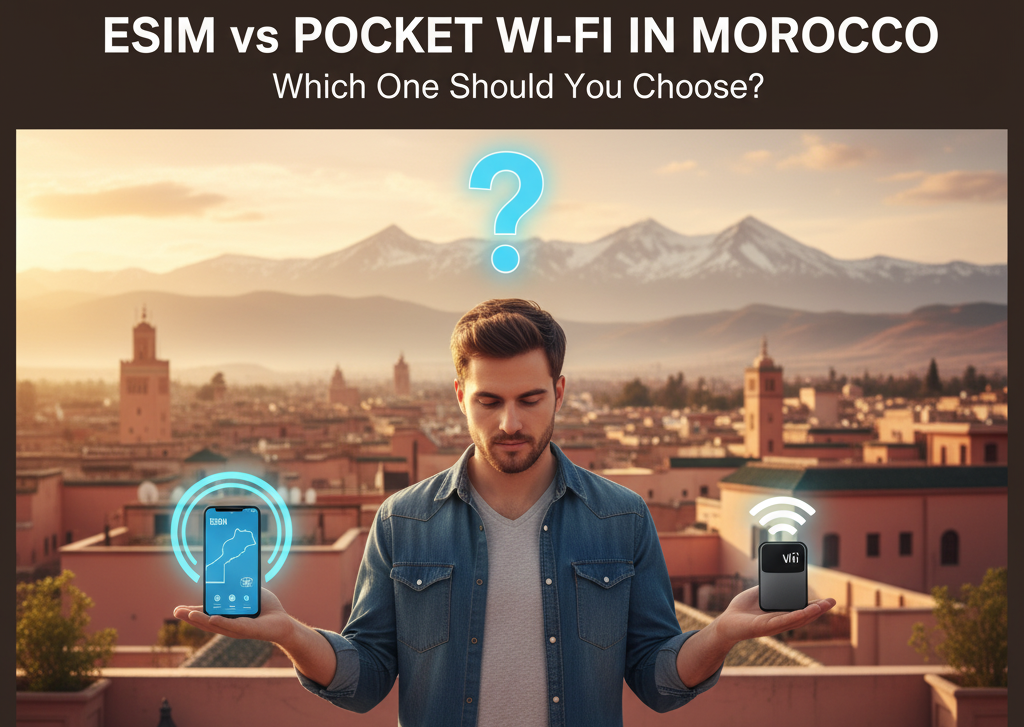
This comprehensive guide examines the current state of eSIM compatibility in laptops for 2025, providing detailed information about supported devices while highlighting the practical challenges users face. More importantly, we explore why alternative solutions like portable pocket WiFi from Rentaphone.ma often provide superior reliability and flexibility for travelers in Morocco and beyond.
Understanding eSIM Technology in Computers
What is eSIM and How Does It Work in Laptops?
eSIM (embedded SIM) represents the next evolution in cellular connectivity, replacing physical SIM cards with a programmable digital chip embedded directly into device hardware. This technology allows users to download carrier profiles over-the-air, eliminating the need for physical SIM swaps. For laptops, this means having built-in cellular connectivity that works across different countries and carriers without hardware changes.
The technology operates through remote provisioning, where users can activate cellular plans by scanning QR codes or using dedicated mobile apps. This digital approach theoretically simplifies switching between carriers and managing multiple cellular plans on a single device. However, implementation varies significantly between manufacturers and regions, creating a fragmented user experience.
Key Benefits of eSIM for Laptop Users
Instant Connectivity
eSIM technology enables immediate internet access without depending on WiFi networks. This is particularly valuable for business travelers who need to work from airports, coffee shops, or temporary offices where WiFi may be unreliable or insecure.
Enhanced Security
Unlike public WiFi networks that can expose your data to security risks, eSIM provides a private cellular connection. This ensures your business communications and sensitive data remain protected from potential interception.
Multi-Carrier Flexibility
Users can store multiple carrier profiles on their device and switch between them as needed. This is ideal for international travelers who need local data plans in different countries without changing physical SIM cards.
Space-Saving Design
By eliminating the physical SIM card slot, manufacturers can create thinner, lighter devices with more room for other components or larger batteries.
Complete List of eSIM Compatible Laptops (2025)
The following comprehensive list covers laptops with confirmed eSIM support across major brands. Note that eSIM is often an optional feature requiring specific configurations.
| Brand & Series | Compatible Models |
|---|---|
| Dell Latitude | 7210 2-in-1, 7310, 7320, 7410, 7420, 7410 2-in-1, 7420 2-in-1, 9410, 9420, 9510, 5410, 5411, 5420, 5421, 5510, 5511, 5520, 5521 |
| Dell XPS | XPS 13 9315 5G, XPS 13 9320, XPS 13 2-in-1 7390 |
| HP EliteBook | 830 G8, 840 G8, 840 Aero G8, 850 G8, 1030 G8, 1040 G8, Dragonfly G2, Dragonfly Max G2 |
| HP ProBook | 430 G8, 440 G8, 450 G8, 635 Aero G8, 645 G8 |
| HP ZBook | Firefly 14 G8, Firefly 15 G8 |
| Lenovo ThinkPad | X1 Carbon Gen 9/10, X1 Yoga Gen 6/7, X1 Nano Gen 1/2, X12 Detachable, X13 Yoga Gen 2, X13s |
| Lenovo Flex | 5G, 14 2-in-1 |
| Microsoft Surface | Pro X, Pro 9 5G, Pro 8 LTE, Laptop 4, Laptop Go 2, Laptop Studio, Go 3 LTE |
| Acer TravelMate | P2, P4, P6, Spin P4 |
| Acer Swift | 3, 5, 7 |
| Samsung Galaxy Book | 2 Pro 360, 2 Business, Go 5G |
| Panasonic Toughbook | G2, 55, 40, 33 |
How to Verify Your Laptop’s eSIM Compatibility
Windows 10 & 11 Check:
- Go to Settings > Network & Internet > Cellular
- Look for “Manage eSIM profiles” or eSIM settings
- If these options are present, your device supports eSIM
Manufacturer Verification:
- Check your laptop’s exact model number and specifications on the manufacturer’s website
- Contact customer support with your serial number
- Review original purchase documentation for cellular capabilities
Physical Indicators:
- Some laptops have “4G LTE” or “5G” branding
- Look for cellular antenna lines on the device casing
- Check for nano-SIM tray availability (often indicates eSIM capability)
Setting Up eSIM on Your Laptop: Step-by-Step Guide
Pre-Setup Requirements
Before beginning the eSIM activation process, ensure you have:
- A stable internet connection for initial setup
- Your eSIM provider’s activation code or QR code
- Administrator access to your laptop
- Updated Windows and driver software
Windows eSIM Activation Process
Method 1: QR Code Activation
- Connect to a stable WiFi network
- Navigate to Settings > Network & Internet > Cellular
- Select “Add eSIM profile”
- Choose “Scan QR code” and use your laptop’s camera
- Follow on-screen instructions to complete activation
Method 2: Manual Activation Code
- Follow steps 1-3 above
- Select “Enter code manually”
- Input the activation code from your provider
- Wait for profile download and installation
- Set as default connection if desired
Troubleshooting Common eSIM Issues
Profile Download Failures:
- Ensure stable internet connection during setup
- Verify QR code is undamaged and properly scanned
- Check with provider for code expiration
Connection Problems:
- Update cellular drivers through Device Manager
- Restart laptop and retry connection
- Verify cellular data is enabled in settings
Performance Issues:
- Check signal strength in your location
- Try different network bands if available
- Contact provider for network optimization tips
Advantages of eSIM for Different User Types
Business Travelers
Always-Connected Productivity
eSIM enables seamless connectivity during travel, allowing professionals to work from airports, trains, and temporary locations without relying on insecure public WiFi.
Cost Management
Business users can easily switch between local data plans when traveling internationally, avoiding expensive roaming charges while maintaining productivity.
Digital Nomads
Location Independence
eSIM technology supports the nomadic lifestyle by providing reliable internet access in various locations, from co-working spaces to remote workations.
Flexible Plan Management
Nomads can purchase short-term data plans matching their stay duration in each location, optimizing costs while ensuring connectivity.
Students and Educators
Campus Mobility
Students can stay connected across campus without depending on potentially overloaded university WiFi networks.
Research Flexibility
Access online resources and digital libraries from anywhere, enhancing learning and research capabilities.
Limitations and Challenges of Laptop eSIM
Technical Limitations
Hardware Restrictions
eSIM capability remains limited to premium business and consumer laptops, excluding many mid-range and budget devices.
Carrier Compatibility Issues
Not all eSIM providers work seamlessly with all laptop models, creating potential activation and performance challenges.
Network Band Support
Some laptops may not support all cellular bands used by local carriers, potentially affecting connection quality.
Practical Challenges for Travelers
Setup Complexity
Activating eSIM on laptops often proves more challenging than on smartphones, requiring technical knowledge and patience.
Limited Multi-Device Support
Each laptop requires its own eSIM plan, making it expensive for users with multiple devices.
Battery Impact
Cellular connectivity consumes more power than WiFi, potentially reducing laptop battery life during mobile use.
The Superior Alternative: Rentaphone.ma Pocket WiFi
Why Pocket WiFi Outperforms Laptop eSIM
Universal Device Compatibility
Rentaphone.ma‘s pocket WiFi solution works with any device featuring WiFi capability, regardless of age, brand, or specifications. This eliminates compatibility concerns and ensures all your devices stay connected.
Multi-Device Connectivity
A single pocket WiFi device supports up to 10 simultaneous connections, making it ideal for:
- Business travelers with multiple devices
- Families or groups traveling together
- Digital nomads with comprehensive tech setups
Enhanced Network Performance
Multi-Carrier Intelligence
Rentaphone.ma devices automatically connect to the strongest available network among Morocco’s main operators (Maroc Telecom, Orange Morocco, and Inwi). This ensures optimal coverage whether you’re in urban centers or remote areas.
Consistent High-Speed Data
Unlike some eSIM plans that throttle speeds after certain usage thresholds, Rentaphone.ma provides truly unlimited 4G LTE connectivity with no hidden fair usage policies.
Cost-Effectiveness Analysis
Individual User Scenario
- eSIM Solution: $50-150 monthly for laptop cellular plan
- Rentaphone.ma: €7.5 daily for unlimited data on all devices
Group Travel Scenario
- Multiple eSIM Plans: $200-600 monthly for 4 users
- Single Pocket WiFi: €7.5 daily for entire group
The economic advantage becomes substantial for groups and multi-device users, with savings increasing with the number of connected devices.
User Experience Advantages
Instant Setup
Rentaphone.ma devices arrive pre-configured and ready to use. Simply turn on and connect—no technical setup, QR codes, or compatibility checks required.
Flexible Rental Options
Choose from daily, weekly, or monthly rental periods with easy extensions. This adaptability suits various travel durations and changing itineraries.
Local Support Network
As a Moroccan company, Rentaphone.ma provides local customer support throughout your stay, offering assistance in French and English as needed.
Making the Right Choice: eSIM vs Pocket WiFi
When eSIM Might Be Suitable
Consider laptop eSIM if you:
- Travel solo with a single eSIM-compatible device
- Primarily work from urban areas with strong cellular coverage
- Need built-in connectivity for brief, spontaneous work sessions
- Prefer minimal gear and don’t mind carrying a power bank
When Rentaphone.ma Pocket WiFi is Clearly Superior
Choose pocket WiFi if you:
- Travel with family, friends, or colleagues
- Use multiple devices (laptop, phone, tablet, etc.)
- Work from various locations including rural areas
- Need reliable connectivity for video calls and large file transfers
- Prefer predictable costs and unlimited data
- Want hassle-free setup and universal compatibility
Conclusion: Smart Connectivity for Modern Professionals
While laptop eSIM technology offers interesting possibilities for mobile connectivity, its current limitations make it impractical for most real-world travel scenarios. The combination of device compatibility issues, setup complexities, and single-device limitations creates significant barriers to reliable connectivity.
Rentaphone.ma‘s pocket WiFi service addresses these challenges by offering universal compatibility, reliable multi-network coverage, and cost-effective unlimited data sharing. For professionals and travelers in Morocco, this solution provides the peace of mind that comes with guaranteed connectivity, allowing you to focus on your work and experiences rather than troubleshooting internet access.
Before your next trip, carefully consider your specific connectivity requirements. For most users, particularly those with multiple devices or traveling in groups, Rentaphone.ma offers a superior solution that combines reliability, affordability, and simplicity.
Visit Rentaphone.ma to reserve your pocket WiFi device and ensure seamless connectivity throughout your Moroccan journey.